
Managing Subscriptions & Recurring Customer Plans
Track active, trialing, past due, and canceled subscription plans across Stripe and PayPal in Putler Subscriptions.
If you have a subscription business, you know the pain involved in managing subscriptions.
You need to log in to the system, search the customer, view subscription and then take necessary action.
Now suppose you have both PayPal and Stripe active on your site?
You have to first identify the payment gateway used by the customer, log in to that, search the customers, view subscription and take action.
Tiresome right?
Don’t worry, Putler is the solution.
- Putler is a one-stop solution that lets you manage subscription right within a single window.
- It is fast, efficient and hassle-free.
- It lets you manage subscriptions and carry out tasks like cancel, suspend right from within Putler.
Steps to manage subscription using Putler
- Log in to Putler
- Type the name or email of the customer you want to manage the subscription of
- Click on ‘Manage/Refund’ button next to the customer’s profile
- Select the necessary action
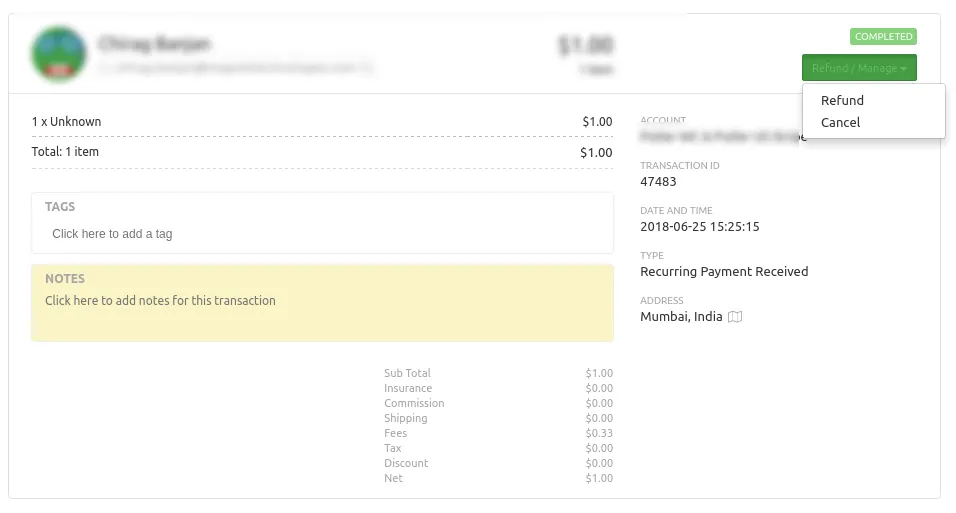
Managing Subscriptions for PayPal
PayPal allows you to either suspend/cancel subscriptions
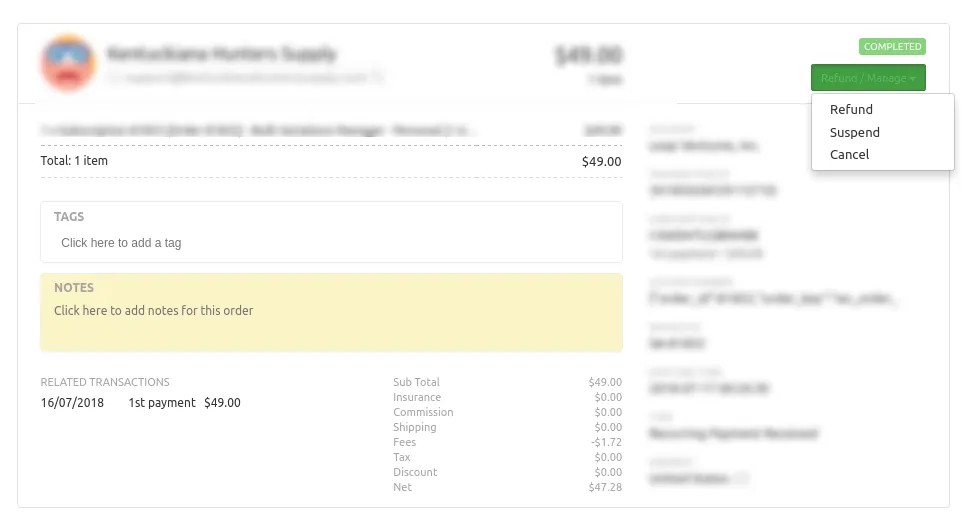
Managing Subscriptions for Stripe
Stripe only allows you cancel subscriptions