

Removing or Unlinking Data Sources from Putler
Learn how to disconnect or remove an existing payment gateway or store data source from Putler without data loss.
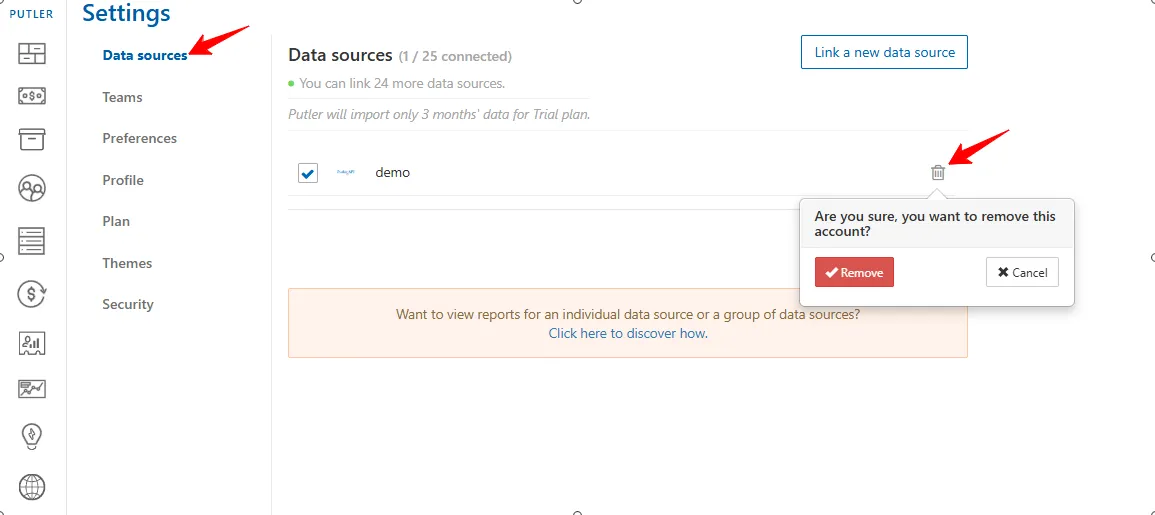
If you no longer need a specific data source connected to your Putler account, follow the steps below to remove it:
- Log in to Putler
- Go to
Settings - Click on
Data Sources - Find the data source you want to remove.
- Click the
trash/deleteicon next to it. - A warning message will appear: Are you sure you want to remove this account?
- Click
Removeto confirm.
The data source will now be removed from your Putler account.