

Setting Up Weekly Executive Summary Email Digests
Configure automated weekly email digests with key store revenue metrics, top products, and growth insights sent to your inbox.
Putler allows you to receive weekly summary reports via email, and you can send them to multiple recipients, too!
To set up weekly summary emails to your own (admin) email address:
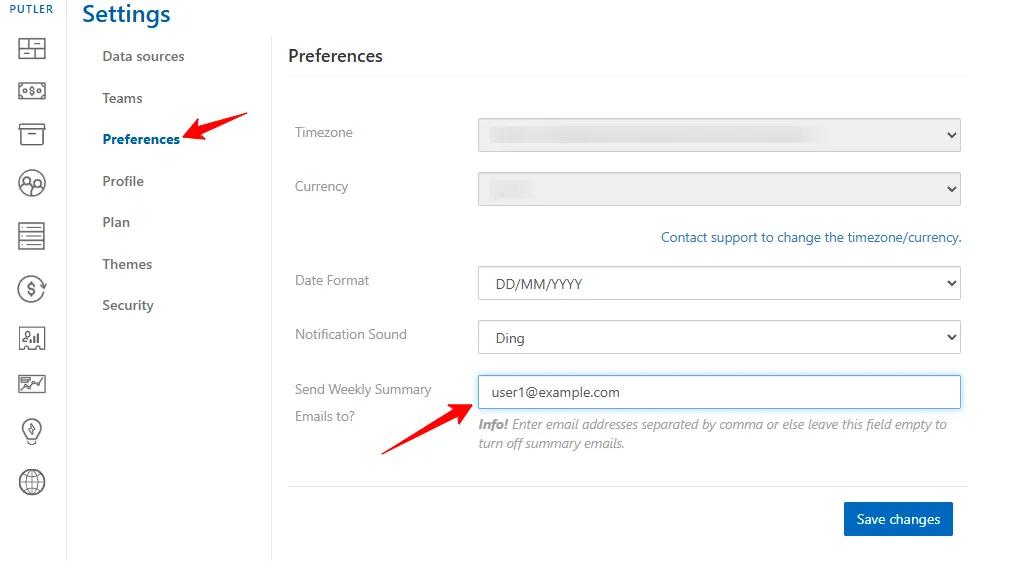
- Log in to Putler
- Go to
Settings - Click on
Preferences - Look for the field:
Send Weekly Summary Emails to? - Enter your admin email address: (Example: user1@example.com)
- Click
Save changes
To send the summary to multiple Team Members (Add Multiple Emails):
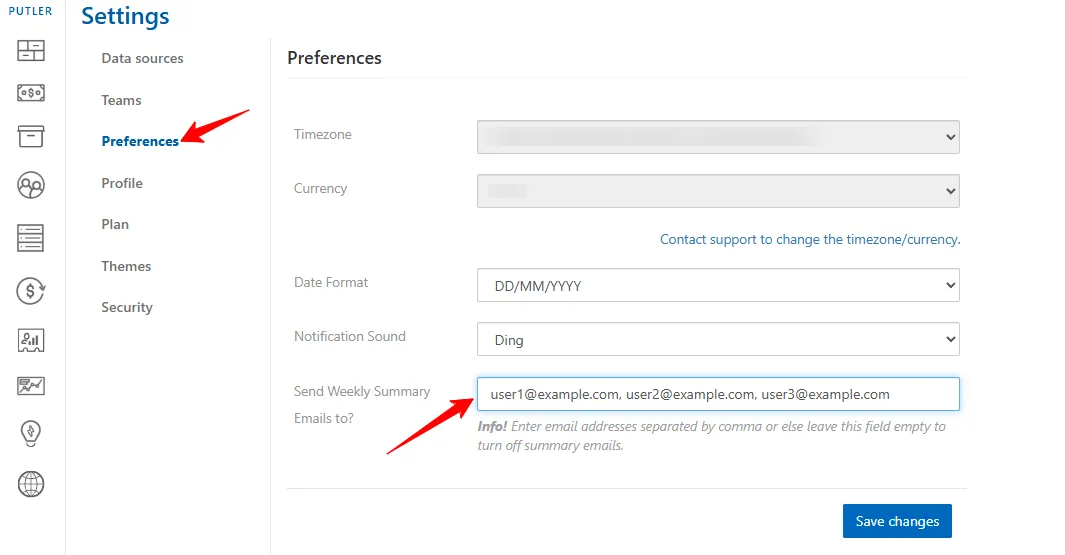
- Log in to Putler
- Go to
Settings - Click on
Preferences - Look for the field:
Send Weekly Summary Emails to? - Add multiple email addresses separated by commas: (Example: user1@example.com, user2@example.com, user3@example.com)
- Click
Save changes