

Adding Additional Data Sources to Putler
Step-by-step guide to connect and aggregate additional payment gateways, stores, and analytics sources in Putler.
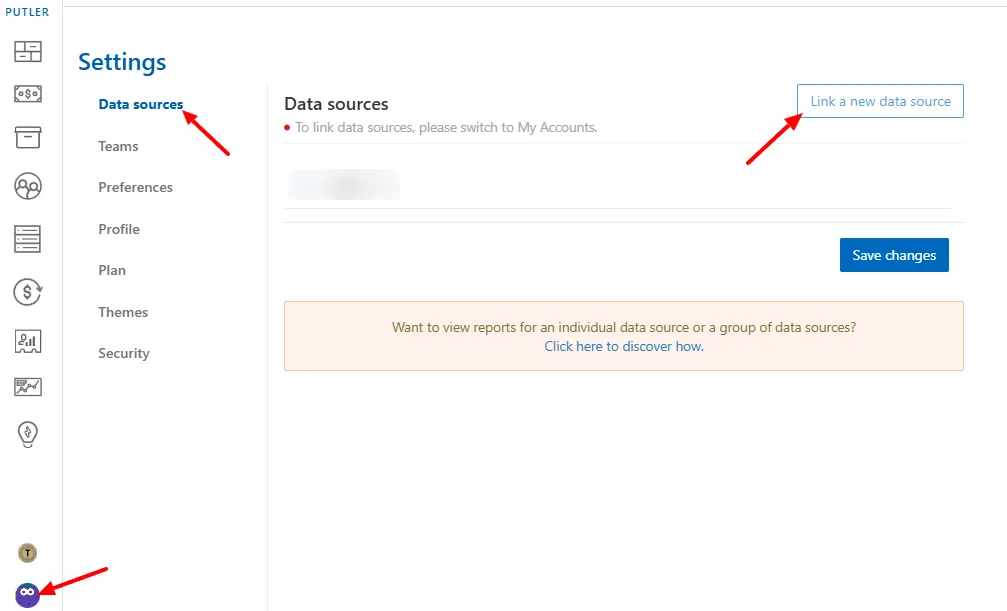
- Log in to Putler.
- Click on the profile picture at the bottom left corner of the screen.
- Select Settings.
- Click on Data sources.
- Click on Link a new data source.